Skip to content









DALI control is becoming a must-have in smart lighting, but how does it actually work with constant current LED drivers?
DALI works with constant current LED drivers by sending digital commands to adjust brightness through current regulation instead of analog voltage control.
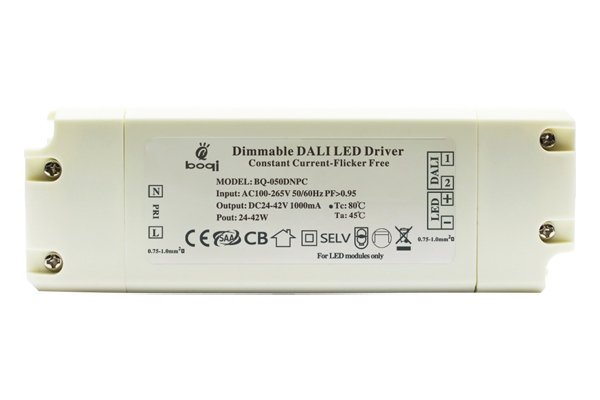
In this article, I’ll walk you through how DALI and constant current drivers work together to create a flexible, high-performance dimming solution. Whether you’re a lighting designer or a buyer like Jacky, understanding this system can help you make better decisions and solve technical challenges faster.
What Is DALI and Why It Matters in LED Dimming?
Lighting control systems often struggle with compatibility and precision—DALI solves both problems.
DALI (Digital Addressable Lighting Interface) is a standardized protocol that enables two-way digital communication between lighting devices and controllers.
The Basics of DALI
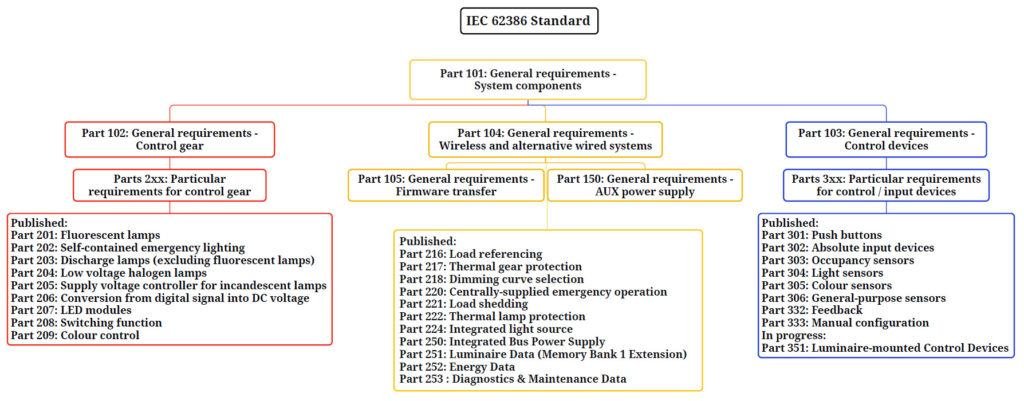
DALI is an open protocol defined under IEC 62386. It’s not owned by any single company, which allows manufacturers across the world to produce compatible equipment. It uses a simple two-wire, polarity-free bus for communication, which can handle up to 64 individually addressable devices.
Why DALI Matters
- Standardization: Ensures interoperability across brands.
- Digital Accuracy: Precise dimming without flicker or instability.
- Two-way Communication: Devices can send status updates or error messages back to the controller.
- Scene and Group Control: Allows for flexible lighting setups with minimal wiring.
Here’s a comparison of DALI and traditional analog dimming:
| Feature | Analog Dimming (0-10V) | DALI |
|---|---|---|
| Signal Type | Voltage | Digital |
| Device Feedback | None | Yes |
| Device Addressing | Not supported | Yes (up to 64) |
| Grouping | Manual wiring required | Software configuration |
| Flicker-Free Dimming | Often problematic | Yes |
Overview of Constant Current LED Drivers in DALI Systems?
Designing LED lighting systems often involves matching LEDs with drivers that provide consistent current. Why is that important?
Constant current LED drivers regulate a fixed output current to LEDs, ensuring stable performance and supporting smooth dimming in DALI systems.
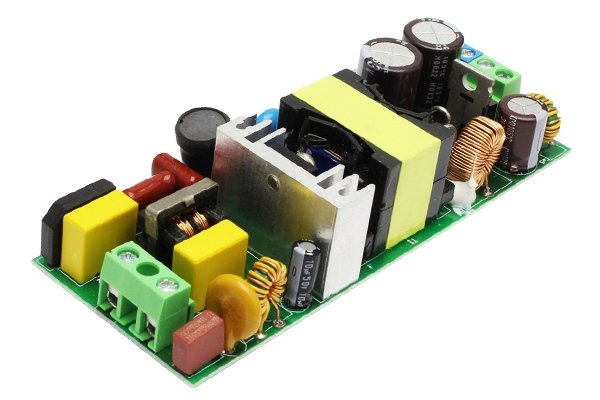
What Is a Constant Current LED Driver?
A constant current LED driver delivers a steady current (e.g., 350mA, 500mA, 700mA) regardless of changes in input voltage or LED load. This is important because LEDs are current-driven devices—fluctuations in current can lead to color shift, flicker, or even burnout.
Role in a DALI System
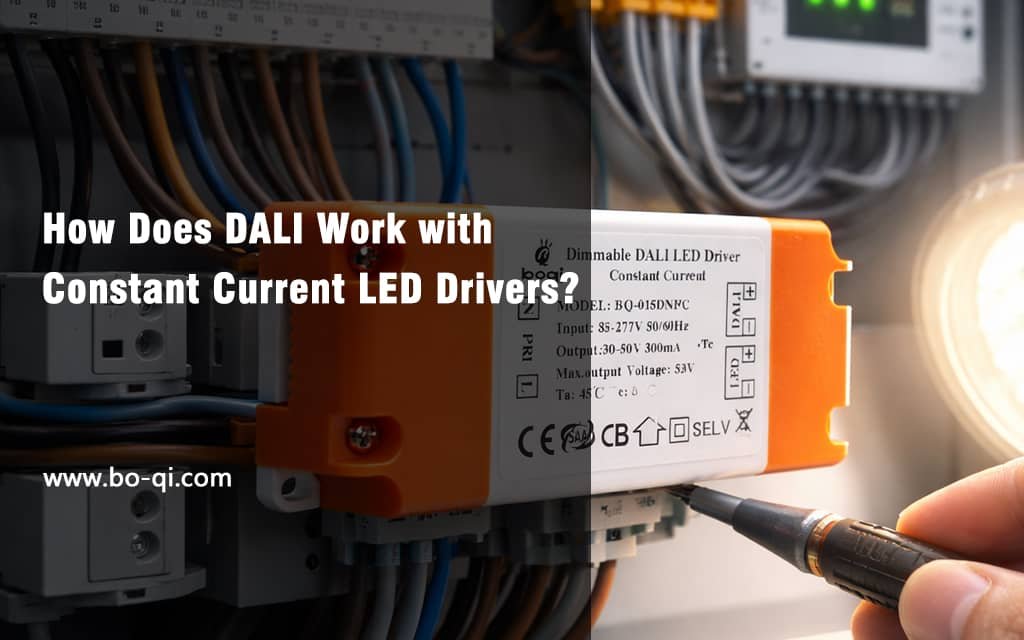
In a DALI-controlled environment, the constant current driver must be DALI-compatible. That means it includes internal circuitry to receive and interpret DALI signals, and to translate them into output current adjustments.
Internal Architecture
Here’s a simplified breakdown of the components inside a DALI constant current driver:
- DALI Interface Module: Receives digital DALI commands.
- MCU (Microcontroller): Decodes commands and manages dimming levels.
- Current Control Loop: Adjusts output to maintain the desired current.
- Feedback Module: Sends device status or failure information back to controller.
How DALI Communicates with Constant Current Drivers?
Traditional dimming uses analog voltages that can degrade over long distances. So how does DALI keep things accurate?
DALI uses digital commands to adjust LED current levels inside constant current drivers, enabling smooth, flicker-free dimming with feedback.
Signal Flow and Interpretation
DALI sends commands like “Dim to 50%” or “Turn off” over a two-wire bus. Each command is a 16-bit data packet that includes a device address and an instruction.
The driver decodes the instruction and calculates the necessary current output to achieve the desired brightness. For example, if the maximum current is 700mA, then a “50% brightness” command would trigger an internal adjustment to 350mA.
Key DALI Commands
| Command Type | Example Instruction | Function |
|---|---|---|
| Direct Arc Power | 0–254 levels | Adjusts brightness |
| Query Status | Device OK? | Sends health check |
| Set DTR | Data Transfer Reg. | Prepares for config |
| Configure | Assign Address | Used in commissioning |
This structure enables highly precise and reliable dimming, especially in large-scale systems.
Addressing and Grouping: Key DALI Features for Flexibility?
Managing large lighting networks can be messy without software-based grouping. DALI fixes that.
DALI allows each driver to be assigned a unique address and grouped via software, simplifying installation and enhancing control flexibility.

Device Addressing
Each DALI device can be assigned one of 64 unique short addresses. These addresses let you send commands to individual drivers without affecting others.
Grouping & Scene Control
You can assign drivers to any of 16 groups or scenes. A group is useful for room-based control (e.g., all ceiling lights). Scenes enable lighting presets (e.g., “Meeting Mode”).
Benefits of Software Grouping
- No rewiring needed for changes
- Easy commissioning using DALI tools
- Efficient control logic for automation
This digital grouping simplifies project revisions and enhances scalability in commercial projects.
Wiring and Connection: How to Integrate DALI with LED Fixtures?
Installers often ask: “How do I wire this up?” Let’s break it down.
DALI wiring uses a simple two-wire bus, separate from power lines, to connect all drivers and controllers in parallel.

Basic Wiring Setup
- DALI Bus: Two wires (typically 0.5–1.5mm²), no polarity.
- Power Line: AC power supplied to each driver.
- LED Load: Connected to driver’s output terminals.
Typical Setup Example
- Connect DALI bus to all drivers and the controller.
- Connect AC input to each driver.
- Connect LEDs to each driver’s output.
Here’s a wiring table example:
| Connection Point | Wire Type | Description |
|---|---|---|
| DA+, DA- | DALI Bus | Control signal |
| L, N | AC Mains | Input power |
| +LED, -LED | DC Wires | Output to LED modules |
Important Notes
- Bus length should not exceed 300m unless amplified.
- Max 64 drivers per bus.
- Avoid mixing DALI with non-compatible dimmers.
Benefits of Using DALI with Constant Current Drivers?
So what do you really gain from using DALI with constant current LED drivers?
DALI provides fine-tuned dimming, remote monitoring, and reliable control—all without flickering or complex wiring.
Key Benefits
| Benefit | Description |
|---|---|
| Precise Dimming | 0–100% in 1% steps |
| Bidirectional Comms | Get driver status remotely |
| Remote Configuration | No need to access ceiling or fixtures |
| Scene & Group Control | Easy automation setup |
| Scalable Integration | Works well with BMS or KNX |
Using DALI with constant current drivers combines the stability of fixed output with the versatility of digital dimming.
Typical Applications: Where DALI + Constant Current Drivers Excel?
Some lighting projects just need better control. DALI delivers.
DALI-controlled constant current drivers are ideal for commercial, hospitality, and office lighting where precision, ambiance, and system integration are key.

Application Scenarios
1. Office Buildings
DALI enables automated daylight harvesting and occupancy-based dimming, improving energy savings and comfort.
2. Hotels
Scenes can be programmed for different moods: “Check-in,” “Relax,” “Cleaning.” All from a central panel.
3. High-End Retail
Smooth dimming helps create ambiance, highlight products, and reduce glare.
Summary Table
| Application | Why DALI Works Well |
|---|---|
| Offices | Group/Scene control for zones |
| Hotels | Personalized light scenes |
| Retail | Dimming without color shift |
boqi’s DALI Constant Current Driver Portfolio?
You may ask—what kind of DALI constant current drivers does boqi offer?
boqi provides a wide range of DALI-compatible constant current drivers, covering various current levels, form factors, and certifications.

Product Highlights
- Current Range: 150mA to 1500mA
- Voltage Range: 12V–54V DC output
- Dimming: DALI-2, smooth from 0.1%–100%
- Certifications: CE, RoHS, TUV, SAA
- Form Factors: Linear, compact, waterproof
boqi drivers are already used in large commercial projects across Europe, North America, and Southeast Asia. Many models are stocked for fast delivery.
Compatibility Tips: Choosing the Right DALI LED Driver?
Choosing the wrong driver leads to flicker, dimming issues, or even failure. How do you avoid that?
Match output current, voltage range, dimming interface, and size with your LED module and fixture to ensure full DALI compatibility.

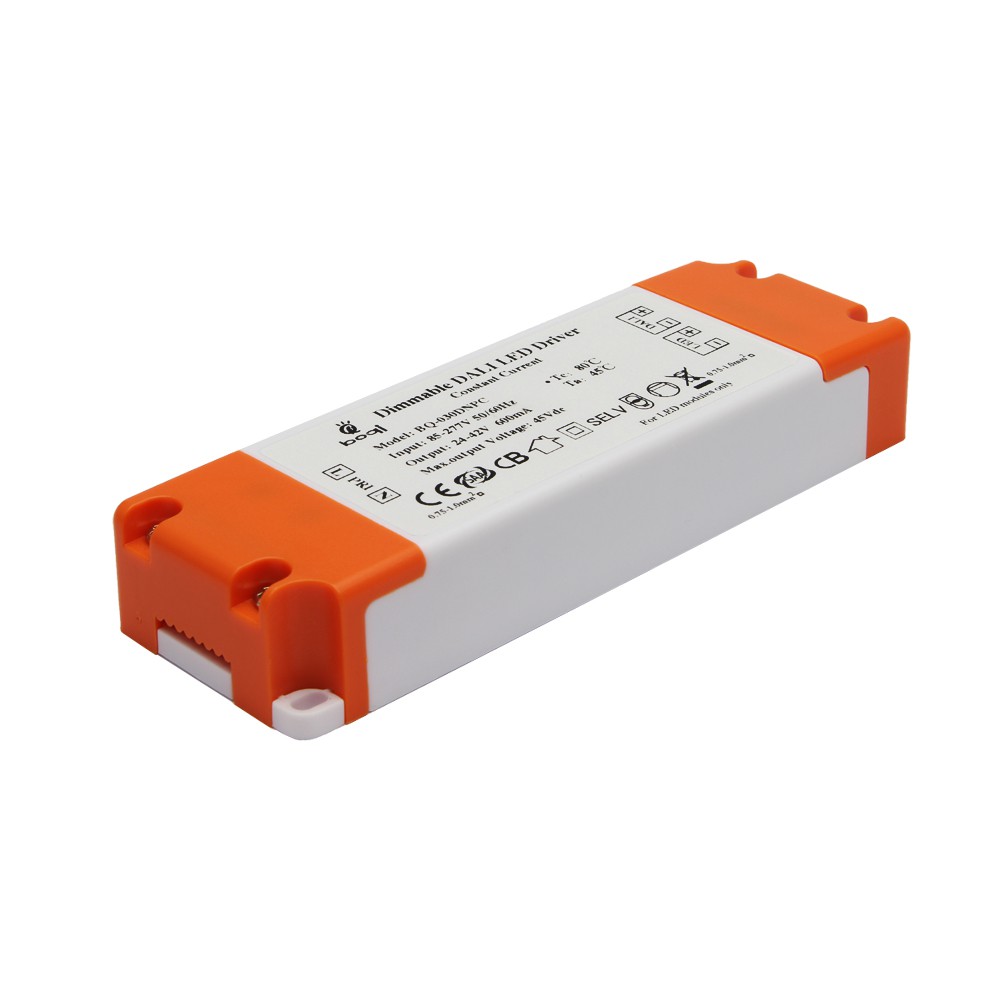
Choosing DALI driver
Compatibility Checklist
| Criteria | What to Check |
|---|---|
| Output Current | Match LED module requirement |
| Voltage Range | Must cover total forward voltage |
| Control Protocol | DALI, DALI-2 certified |
| Fixture Size | Ensure mechanical fit |
| Environment | Indoor or IP65 for outdoor |
Tip: Request a Sample
Before ordering in bulk, I always recommend testing a few samples in your real fixture. This ensures both dimming and thermal compatibility.
Why Lighting Professionals Choose boqi for DALI Solutions?
With so many brands out there, why do buyers like Jacky keep choosing boqi?
boqi stands out with reliable DALI drivers, fast customization, and deep technical support tailored to lighting professionals.
Our Strengths
- Fast Turnaround: Custom current tuning within 7 days.
- Expert Support: Real engineers, real answers.
- Stable Supply: Monthly output of 50,000+ units.
- OEM Friendly: We support your brand and growth.
I started boqi because I knew how hard it was to find suppliers who really understand lighting. Today, I’m proud to say we’ve helped hundreds of professionals deliver better projects with less hassle.
Conclusion
DALI and constant current LED drivers work together to provide precise, efficient, and flexible lighting control—and boqi makes it easier to put it all into action.